
mobile dev tools: tophat, scrcpy, and maestro
tophat
Section titled “tophat”Easily install and test mobile applications with a single click.
Tophat manages Android and iOS simulators on macOS without much ceremony.
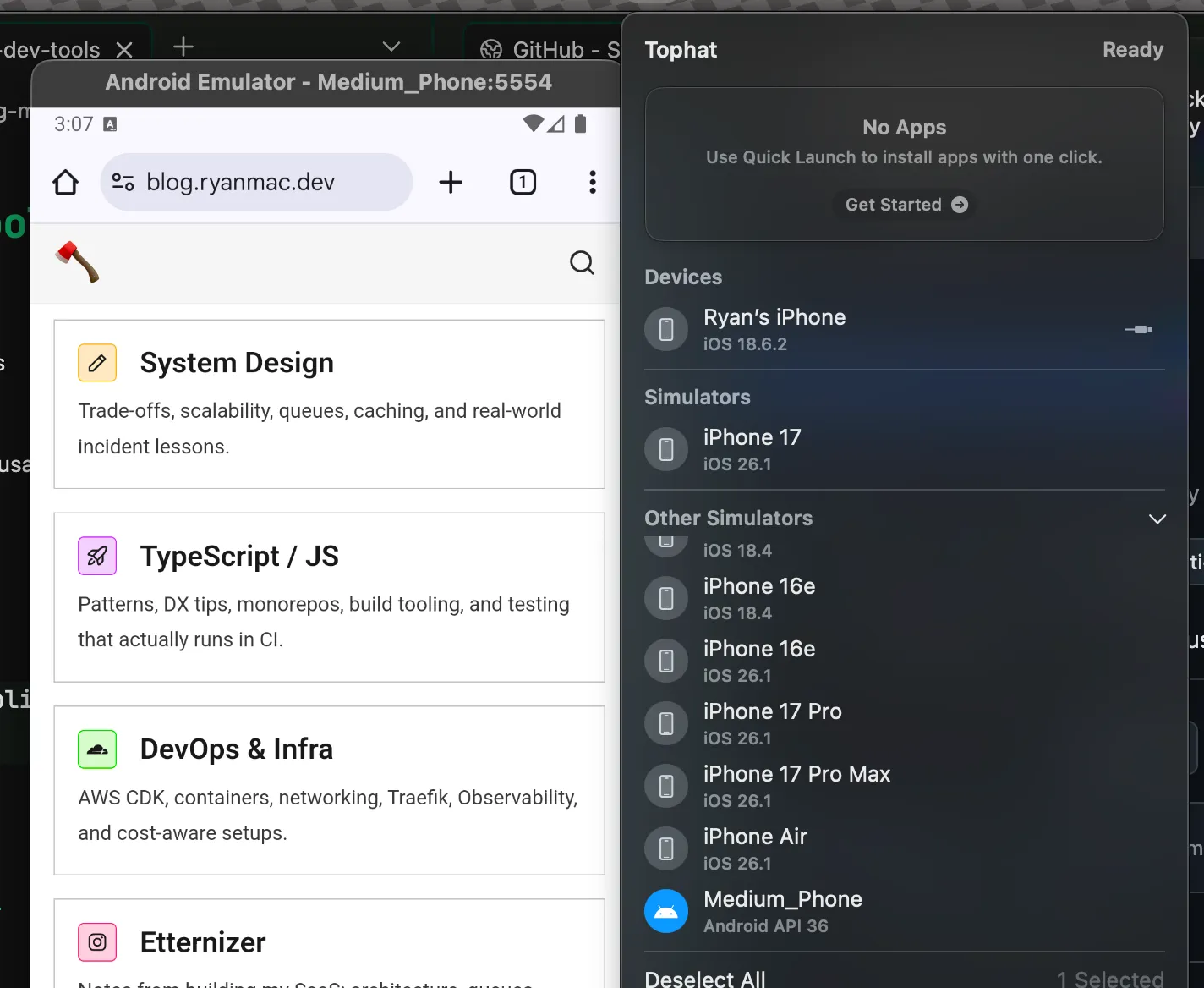
It also installs APKs and IPAs from remote sources through its URL scheme:
tophat://install/http?url=<full_public_url>Tophat figures out the build type on its own.
installation
Section titled “installation”Download and unzip the app from the latest release:
https://github.com/Shopify/tophat/releases
Dependencies:
- a
JAVA_HOMEvariable cmdline-tools(Android)scrcpy(optional)
scrcpy
Section titled “scrcpy”Display and control your Android device
Great for testing on real Android devices over USB or TCP/IP.
It needs no root access and no app installed on the device. It runs on Linux, Windows, and macOS.
installation
Section titled “installation”https://github.com/Genymobile/scrcpy/releases
maestro
Section titled “maestro”maestro is a solid mobile testing tool.
Maestro is built on learnings from its predecessors (Appium, Espresso, UIAutomator, XCTest, Selenium, Playwright) and allows you to easily define and test your Flows.